
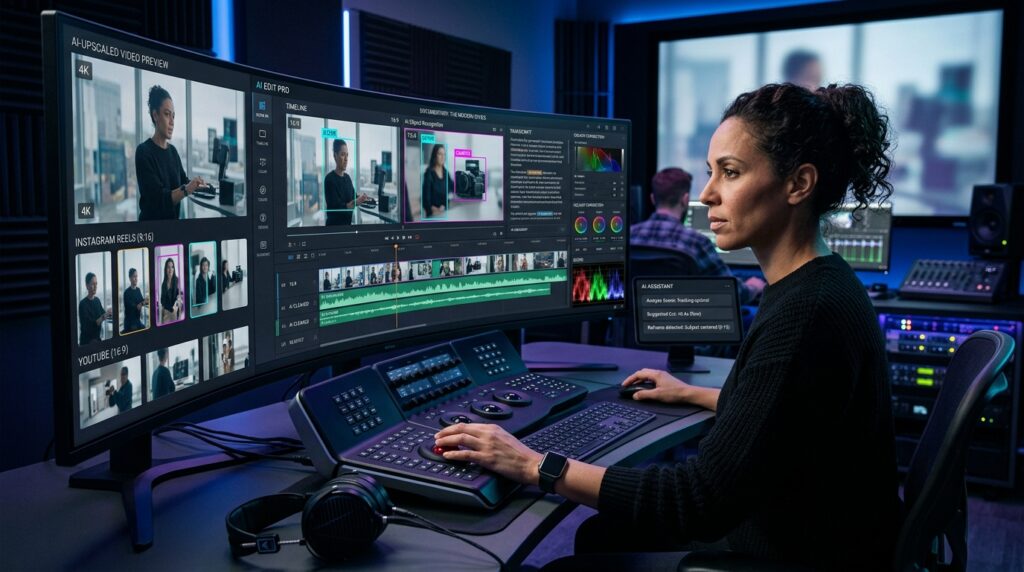
In today’s digital environment, video has become one of the primary formats for communication, marketing, education, and brand storytelling. Furthermore, modern AI-powered video editing platforms and specialized AI tools for video editing transform post-production from a mechanical chore into an intelligent, high-speed creative workflow.
Producing broadcast-grade video involves far more than hitting record. Specifically, editorial teams routinely sift through hundreds of clips and isolate key moments. In addition, they must balance multi-camera exposures, clean noisy audio, generate accurate captions, and prepare tailored versions for disparate platforms. Historically, these mechanical procedures consumed up to 70% of a production schedule.
Consequently, machine learning models and neural vision networks are rewriting this paradigm. Rather than replacing the craft of storytelling, intelligent AI tools for video editing act as proactive creative co-pilots. Therefore, they handle repetitive technical friction while leaving narrative pacing and directorial vision firmly in human hands.
Explore our curated market breakdown of the Top 15 AI Video Editing Tools in 2026 to evaluate the leading platforms.
7 Innovative Features of AI-Powered Video Editing Platforms
Modern software suites now integrate advanced machine learning directly into nonlinear editing timelines. Here are seven innovative capabilities transforming post-production today:
1. Object and Scene Recognition
One of the most useful developments in AI video editing is semantic scene comprehension. Earlier editing workflows relied heavily on manual footage logging and tedious timeline scrubbing. In contrast, modern neural classifiers identify people, objects, scenes, and dialogue automatically.
For example, Adobe Premiere Pro features Media Intelligence capabilities that allow editors to search footage using natural-language phrases. Consequently, teams can query concepts like “founder speaking on stage” to locate matching B-roll within seconds.
Furthermore, neural object recognition extends far beyond simple asset search. Premiere’s Object Mask automatically detects and tracks moving subjects across complex shots. Therefore, colorists can isolate faces, blur sensitive graphics, or grade background scenery without drawing manual keyframes frame by frame.
High-Impact Applications for Neural Object Tracking
- Sports and Action Highlights: For instance, automatically isolating a specific player across rapid multi-camera angles.
- Commercial Product Demos: In addition, applying selective lighting and exposure adjustments to focal merchandise.
- Documentaries and Interviews: Furthermore, tracking subjects to blur background distractions or maintain privacy.
2. Auto Cropping and Intelligent Reframing
A master video shot horizontally does not naturally translate to vertical smartphone feeds. This creates a severe bottleneck for creative teams managing omni-channel campaigns across YouTube, Instagram Reels, and TikTok.
Fortunately, AI-powered reframing tools analyze on-screen action to keep subjects dynamically centered. For example, Adobe Premiere’s Auto Reframe converts 16:9 widescreen master clips into 9:16 vertical and 1:1 square assets automatically. As a result, editors save hours of repetitive repositioning while preserving framing integrity.
3. Speech-to-Text Transcription and Text-Based Editing
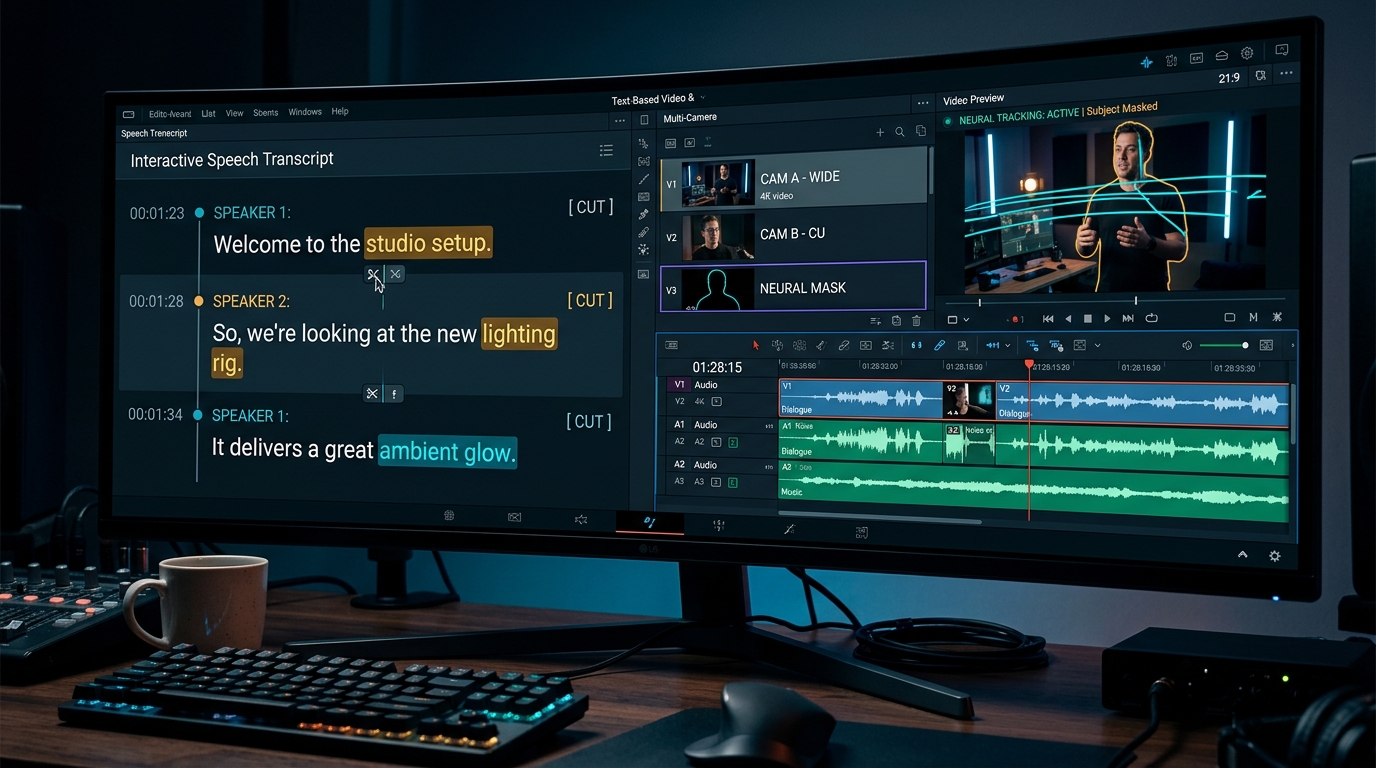
Speech-to-text models have fundamentally transformed how editors navigate dialogue. Instead of scrubbing blindly across timeline rulers, editors now interact with synchronized text scripts.
For example, platforms like Descript and Adobe Premiere Pro transcribe spoken dialogue with remarkable accuracy. As a result, deleting a redundant sentence in the text transcript automatically cuts the corresponding video frames on the timeline. Moreover, these systems automatically highlight and remove filler words such as “um” and “uh”.
This innovation shifts the post-production paradigm dramatically:
- Traditional Approach: Timeline Scrub → Listen → Locate Take → Manual Blade Cut
- Modern AI Workflow: Text Search → Highlight Sentence → One-Click Delete
4. Intelligent Audio Setup and Voice Enhancement
Poor acoustics undermine even the sharpest 4K visual footage. Background HVAC rumble, traffic noise, room echo, and fluctuating microphone levels frequently compromise recorded dialogue.
Today, advanced neural voice engines address these audio defects automatically. For instance, Adobe Enhance Speech resynthesizes voice clarity while eliminating harsh ambient reverberation. Similarly, Descript’s Studio Sound removes distracting background noise and delivers broadcast-quality vocal isolation.
Consequently, sound editors can execute transcription, noise reduction, vocal leveling, and caption generation within an integrated, unbroken pipeline.
5. Neural Image and Video Upscaling
Archival and legacy footage is frequently constrained by lower native recording resolutions. Fortunately, deep learning upscaling models reconstruct missing micro-details when increasing asset resolution.
For example, DaVinci Resolve Studio integrates AI Super Scale with dedicated 3x and 4x enhancement modes. These neural algorithms analyze pixel neighborhoods to sharpen textures, remove compression artifacts, and restore edge fidelity.
However, professional editors must exercise critical quality control. AI reconstructs probable detail rather than historical truth. Therefore, teams should always retain pristine archival masters and inspect upscaled clips for synthetic texture artifacts.
6. AI-Assisted Colour Correction and Subject Masking
Balancing color across footage captured on different camera sensors and changing daylight can consume dozens of hours. Modern AI tools for video editing drastically accelerate this foundational stage.
Specifically, Premiere’s Auto Colour evaluates scene illumination, contrast, and white balance to balance multi-camera clips instantly. Furthermore, DaVinci Resolve’s AI Neural Engine combines facial recognition with neural color matching across entire timelines. As a result, colorists can move straight past basic balancing and focus on artistic creative looks.
7. Smart Transitions and Generative Video Editing
Traditional transitions rely on standard cuts, dissolves, and predefined geometric wipes. In contrast, modern generative models can synthesize new frames to solve difficult editorial gaps.
For instance, Premiere’s Generative Extend synthesizes additional video frames and ambient room tone at the tail of a clip. Consequently, editors can hold an emotional reaction shot or smooth transitions without resorting to frozen frames or expensive reshoots. In addition, Descript’s Video Regenerate and Smooth Jump Cuts repair eye contact and patch dialogue seamlessly.
Explore our in-depth guide on How AI Image Generators Work to understand core diffusion mechanics.
Connecting Video Post-Production to Broader Content Automation
The true power of modern video editing emerges when individual tools connect into end-to-end publishing pipelines. Leading production teams now synchronize video post-production with broader automated marketing stacks.
For example, studios connect transcription and caption outputs directly to workflow orchestrators. Discover how automated pipelines link media distribution in our comprehensive comparison of n8n vs Make.com vs Zapier for AI Content Pipelines.
Furthermore, video production increasingly integrates into autonomous content ecosystems. Explore how intelligent systems coordinate multi-stage publishing in our guide on 5 Ways Agentic AI Is Changing Content Strategy.
However, automation yields greatest impact when guided by a structured publishing strategy. To build sustainable authority, review our architectural framework on Pillar-Cluster Content Architecture: Why 50 Focused Articles Beat 500 Random Ones.
In addition, cross-platform video assets amplify discovery across modern AI search engines. Learn how multi-format content strengthens digital footprint in our complete guides to Search Everywhere Optimisation for Indian Businesses and How to Get Your Indian Business Cited by ChatGPT.
Finally, agencies scaling client deliverables must price their technical infrastructure appropriately. Review our commercial models on Pricing AI Automation Agency Services and safeguard factual credibility with our EEAT for YMYL Content Checklist.
Why the Human Creative Moat Remains Indispensable
Despite extraordinary technological leaps, more automation does not automatically produce compelling storytelling. Video production relies on nuanced emotional context that algorithms cannot replicate.
Dividing Work Between AI Systems and Human Editors
Let AI Handle Repetitive Friction:
- Semantic clip searching
- Speech transcription
- Filler-word removal
- Initial color balancing
- Subject tracking and masking
- Aspect ratio reframing
- Super Scale upscaling
Let Humans Direct Storytelling:
- Emotional arc and narrative pacing
- Creative tone and humor
- Ethical nuance and fact-checking
- Brand authenticity
- Contextual music selection
- Subtle facial expression choices
- Final editorial approval
Therefore, the winning editorial model is clear: AI accelerates technical execution, while human creators direct the narrative soul.
Frequently Asked Questions
How do AI-powered video editing platforms save time in post-production?
Specifically, AI-powered video editing platforms automate tedious tasks like clip searching, speech transcription, noise cleanup, and multi-format reframing. Consequently, editors can focus primarily on creative storytelling.
Can AI tools for video editing replace human editors?
No, human editorial judgment remains irreplaceable. While AI executes technical calculations swiftly, narrative pacing, emotional nuance, and brand context require human creative guidance.
What is text-based video editing?
Text-based editing links video clips directly to an automated text transcript. Consequently, editing or deleting text in the script automatically trims the timeline, accelerating rough cut assembly substantially.
Which software provides the best AI tools for video editing in 2026?
Industry leaders include Adobe Premiere Pro for Enhance Speech, DaVinci Resolve for neural color grading, and Descript for text editing. Together, these tools provide complete post-production coverage.
How does intelligent reframing assist with social media repurposing?
For example, intelligent auto-reframe algorithms track focal subjects across horizontal master footage. They dynamically reposition the viewport for vertical formats like Instagram Reels and YouTube Shorts without manual keyframing.
Explore our complete library of automation guides, AI benchmarking reports, and production frameworks on the HuAI Content Blog.
Pingback: AI Tools for Education: Interactive & Immersive Learning
Pingback: Free Online AI Art Generators in 2026: Creative Guide