Cutting-Edge Creations: The Rise of AI Tools in Video
Editing
Editing
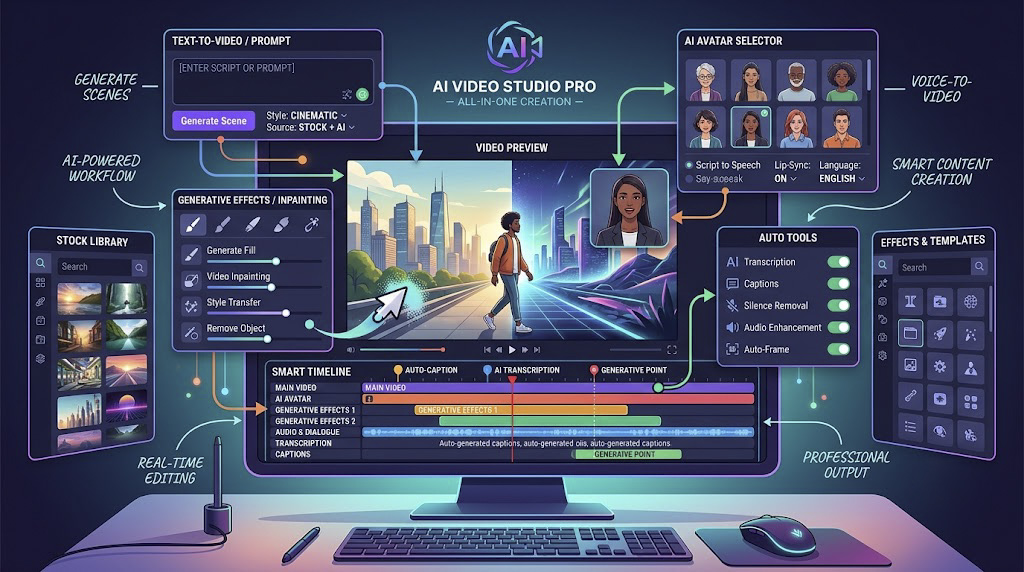
In the digital era, videos have become an increasingly important communication tool as they help businesses reach the right customers and enhance social media interaction. Artificial Intelligence, or AI, has transformed the video editing sector by opening up new avenues of creative possibilities. With advanced AI-powered tools and technologies, the process of editing has become more efficient, accurate and time-saving. Converting raw video footage into polished and professional videos can now take considerably less time than traditional editing workflows.
Keep reading this write-up to learn about the best AI tools for video editing that come packed with useful features and intuitive technologies.
Table of Contents
- What are AI Video Editing Tools?
- Top 15 AI-featured Video Editing Tools: Features and Benefits
- Why are AI Tools for Video Editing Necessary?
- Conclusion
- FAQs on AI Video Editing Tools
What are AI Video Editing Tools?
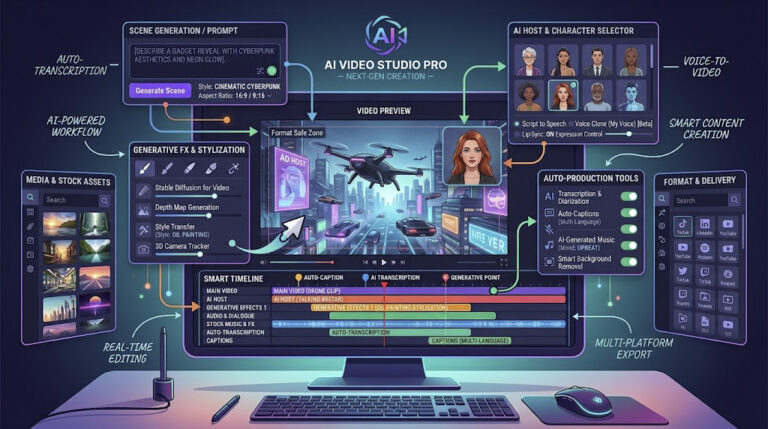
Before getting into the details of the best AI tools for editing videos, let us understand what AI video editing tools are.
An artificial intelligence video editing tool uses machine learning, generative AI and language-processing technologies to simplify or automate repetitive video creation and editing tasks. These tools can analyse video, audio, text and visual elements and assist users with tasks such as cutting footage, generating captions, creating scenes, improving audio, producing voiceovers, resizing content and repurposing long-form videos.
An AI tool for video editing can help create the following:
- Promotional advertisements and videos for marketing events and campaigns.
- Engaging video content for multiple social media platforms.
- Captivating product videos for e-commerce websites to boost customer engagement.
- Educational and training videos that make learning content easier to produce.
- Short-form videos and social media clips created from longer videos.
- AI-generated videos from text prompts, scripts, images or existing content.
Top 15 AI-featured Video Editing Tools
Below is a list of some of the best AI tools for video editing that can transform your editing workflow and help you create high-quality video content.
1. InVideo
InVideo is an AI-powered video creation and editing platform that allows users to create and modify videos using natural-language instructions.
Its cur rent AI workflow goes beyond traditional templates, allowing users to generate videos, change scenes, modify media, adjust voiceovers, add subtitles and refine the video using text commands. InVideo also provides access to a large stock media library and supports AI-assisted video creation for different formats.
Its newer AI filmmaking workflow uses AI agents and multiple models to assist with scripting, storyboarding, generation and editing, making it particularly useful for creators and marketing teams that want to move from an idea to a finished video faster.
Features
The features of InVideo include:
· AI-assisted video creation from prompts, scripts and ideas.
· Natural-language editing through the Magic Box.
· AI-generated voiceovers and subtitles.
· Scene, media, music and style adjustments through text commands.
· Access to millions of stock photos and videos.
· Multiple video formats and aspect ratios for social media.
· AI workflows and access to a wide range of AI models.
Benefits
The following are the benefits of using InVideo:
· It is suitable for beginners as well as content creators and marketers.
· AI-assisted editing can significantly reduce repetitive manual work.
· Users can create and revise videos without learning a complex professional timeline editor.
· It is useful for advertisements, explai
ners, social media videos and marketing campaigns.
· Its text-command workflow makes revisions faster and more accessible.
· Videos can be adapted for platforms that require different aspect ratios.
2. Pictory

If you are looking for an AI-featured video editing tool for content repurposing, Pictory is an effective option. It can create videos from scripts, blog posts, URLs, presentations and other content while also allowing users to edit existing footage.
Pictory currently focuses strongly on AI-assisted content creation, text-based editing, automatic captions, short-form highlights, AI visuals and branded video workflows. It can also help users transform longer videos into shorter, social-ready clips.
Features
The features of Pictory are as follows:
· Script-to-video and text-to-video creation.
· Blog and URL-to-video conversion.
· Text-based video editing.
· Automatic captions.
· AI-generated voices and narration.
· Automatic highlight and short-video creation.
· AI-generated B-roll and visuals.
· AI avatars.
· Automatic video resizing for different formats.
· Brand kits for consistent visual identity.
· Removal of filler words and silences.
Benefits
The following are the benefits of using Pictory:
· It saves considerable time when repurposing long-form content.
· It is suitable for marketers, educators, creators and businesses.
· Users can edit video content by modifying text rather than working entirely from a traditional timeline.
· It makes it easier to transform webinars, podcasts and articles into short-form content.
· It can help maintain consistent branding across multiple videos.
· It runs in the cloud, making it accessible from standard computers without relying on a heavy local editing setup.
3. Synthesia
Synthesia is an AI video platform designed particularly for business, training, communication and educational content. Rather than focusing only on traditional footage editing, it enables users to create presenter-led videos using AI avatars and voiceovers.
Synthesia currently supports AI video creation, translation, screen recording, brand controls, collaboration and multilingual content. Its platform supports AI avatars and video creation in more than 160 languages.
Features
Below are the characteristics of the Synthesia AI tool:
· AI avatars and digital presenters.
· AI-generated voiceovers.
· Video creation from documents, links and ideas.
· Video translation in 160+ languages.
· Screen recording and transcript-based editing.
· Brand kits for logos, colours and visual identity.
· Real-time collaboration.
· Version control for AI videos.
· SCORM export for learning management systems.
· Video analytics and performance tracking.
Benefits
The following are the benefits of using the Synthesia AI tool:
· It reduces the need for traditional studios, cameras and actors for many business video use cases.
· It is particularly useful for training, onboarding, internal communication and sales content.
· Multilingual video creation can make global content production easier.
· AI avatars can deliver consistent presentations across multiple videos.
· Videos can be updated without reshooting an entire production.
· It is well suited to organisations that need to produce video content at scale.
4. Wondershare Filmora
If you are willing to take your video editing skills to a more advanced level, Wondershare Filmora is an option worth considering. One of the established AI tools for video editing, Filmora now combines conventional editing controls with a broad collection of AI-powered features.
Its current AI feature set includes text-based editing, AI copywriting, text-to-video, image-to-video, smart short clips, audio tools, smart masking, background removal, speech-to-text and more.
Features
The following are some of Filmora’s AI-enabled features:
· AI Copilot Editing.
· AI Text-Based Editing.
· AI Text-to-Video.
· AI Idea-to-Video.
· AI Script-to-Video.
· Smart Short Clips.
· AI Smart Cutout and masking.
· AI Video Enhancer and denoising.
· AI Speech-to-Text.
· AI Text-to-Speech.
· AI audio tools.
· AI thumbnail generation.
· AI video translation and voice-related tools.
Benefits
The benefits of using Filmora for video editing are as follows:
· Its interface remains approachable for users who do not want the complexity of a high-end professional editor.
· AI tools can reduce the amount of repetitive editing work.
· Text-based editing allows spoken content to be edited as text.
· Smart Short Clips can turn longer videos into shorter social media content.
· AI enhancement tools can improve audio and video quality.
· It supports both traditional editing and newer generative AI workflows.
5. FlexClip
FlexClip is an AI video generator and web-based video editing toolkit. Its AI-powered technology helps users turn prompts and scripts into videos, while the editor provides tools for further customisation.
The platform supports AI-generated scripts, visuals, narration and subtitles and gives users control over the final result after generation.
Features
Below are the features of FlexClip:
· AI text-to-video creation.
· AI-powered script generation.
· Multiple AI video generation models.
· Customisable video formats and ratios.
· AI-generated narration and subtitles.
· Templates and drag-and-drop editing.
· Stock images, videos and audio.
· AI visual and design tools.
· Multilingual video creation.
· Ability to continue editing an AI-generated video after creation.
Benefits
Below are the benefits of the FlexClip AI tool:
· It is easy to access because it is browser-based.
· Users can generate a first draft quickly from a simple idea.
· The platform combines AI generation with conventional editing controls.
· It is useful for social media, marketing, promotional and explainer videos.
· Users can replace generated media and customise the output instead of accepting the first AI result.
6. Lumen5
Lumen5 is an AI video-making platform designed to help businesses and content teams transform existing material into video. It can turn blog posts, scripts and documents into videos and also supports short-form content creation and AI-generated media.
Its current positioning is especially relevant for businesses that want to turn written content into consistent, branded video content without requiring extensive video editing experience.
Features
Below are the features of Lumen5:
· Blog and article-to-video creation.
· Script-to-video workflows.
· AI-generated visuals.
· AI video generation.
· Short-clip creation from longer videos.
· Stock photo and video libraries.
· AI voices.
· Brand controls for logos, fonts and colours.
· Content repurposing workflows.
Benefits
The following are the benefits of using Lumen5:
· It is useful for businesses that already produce blogs, articles and written marketing content.
· It reduces the effort required to repurpose written content into video.
· Brand controls can help teams maintain consistency across content.
· It is suitable for marketers and users who do not have advanced video-editing expertise.
· It can help extend the lifespan of existing content by converting it into new formats.
7. Wisecut
If you are in search of an AI tool that is intuitive and designed to speed up editing, Wisecut is worth considering. Its current focus is particularly strong around turning long-form footage into shorter, engaging clips.
Wisecut uses AI to detect important sections, remove pauses, add captions and help restructure footage through a transcript-based storyboard.
Features
The features of the Wisecut video editor include:
· AI highlight detection.
· Automatic creation of short-form clips.
· Auto captions and translations.
· Storyboard-based editing.
· Automatic removal of silent pauses.
· AI-powered zoom effects.
· Smart background music.
· Automatic audio ducking.
· Background noise reduction.
· Transcript-based video editing.
Benefits
The following are the benefits of using the Wisecut video editor tool:
· It helps creators turn long videos into shorter social media content.
· It reduces the amount of manual cutting required.
· Automatic subtitles can improve accessibility and reach.
· Editing through a transcript is easier for users who are unfamiliar with complex timelines.
· Automatic silence removal can make talking-head content more concise.
· It can be particularly useful for podcasts, interviews, tutorials and educational videos.
8. Runway
Runway is an AI-first creative platform that has become especially relevant for generative video creation. Its current Gen-4.5 model supports both text-to-video and image-to-video generation, giving creators greater control over generated footage and visual direction.
Rather than being only a conventional editor, Runway is particularly useful when the goal is to generate new footage, visual sequences or creative assets using AI.
Features
The features of Runway include:
· Text-to-video generation.
· Image-to-video generation.
· AI-generated visual sequences.
· Advanced prompt-based control.
· Camera and motion direction.
· Multiple aspect ratios.
· Creative generation for cinematic and promotional content.
· AI-assisted workflows for generated footage.
Benefits
The benefits of using Runway include:
· It allows creators to generate footage without traditional filming.
· It is useful for creative concepts, B-roll, visual experimentation and promotional content.
· It can be used when conventional stock footage does not match a creative requirement.
· It gives creators greater control over generated camera movement and visual direction.
· It is particularly valuable for users exploring generative video production rather than only conventional editing.
9. Adobe Premiere Pro
Adobe Premiere Pro remains one of the most powerful professional video editing applications, but its AI capabilities have expanded considerably. It combines detailed manual editing with AI-supported workflows that automate several repetitive tasks.
Current Premiere Pro features include Text-Based Editing, Media Intelligence, Enhance Speech, AI-powered audio tools and Generative Extend. Adobe is also testing a Generative Media Tool that can create video and sound effects directly inside the Premiere timeline.
Features
Adobe Premiere Pro comes with powerful AI and editing features, including:
· AI-powered Text-Based Editing.
· Automatic speech transcription.
· Media Intelligence for finding footage.
· AI-assisted audio enhancement.
· Enhance Speech.
· Generative Extend for adding frames and ambient audio.
· AI-supported masking and object workflows.
· Professional colour and audio tools.
· Integration with Adobe’s wider creative ecosystem.
· Generative media workflows in the current beta environment.
Benefits
The following are the benefits of using Adobe Premiere Pro:
· It combines AI assistance with detailed professional editing controls.
· Editors can use text to create rough cuts and remove unnecessary dialogue.
· Media Intelligence can make finding footage faster.
· Enhance Speech can help improve dialogue quality.
· Generative Extend can solve certain problems where a clip needs a few extra frames or ambient sound.
· It is suitable for professional editors, agencies and production teams working on complex projects.
10. Vimeo
Magisto was previously included in this list, but that entry is no longer appropriate for a current article. Magisto’s website now redirects users to Vimeo’s video editor, following Vimeo’s move to focus video creation and editing directly within its own platform.
Vimeo’s current video editor combines conventional online editing with AI-assisted tools such as text-based editing, filler-word removal, automatic captions, audio cleanup and AI-generated highlights.
Features
The features of Vimeo’s video editor include:
· Browser-based video editing.
· Text-based editing.
· AI-assisted filler-word and silence removal.
· AI audio cleanup.
· Automatic captions.
· Automatic highlight reels.
· Templates and stock media.
· Branding tools.
· Video resizing and formatting.
· Screen recording and publishing tools.
Benefits
The benefits of using Vimeo include:
· It is suitable for browser-based video creation.
· It combines editing, publishing and hosting workflows.
· Text-based editing makes it easier to refine spoken content.
· AI tools can reduce repetitive cleanup work.
· It is suitable for businesses, creators and marketing teams.
· Existing Magisto users now have a clearer path toward Vimeo’s current video creation and editing environment.
11. Descript
Descript is a robust video and audio editor that uses transcription and AI to make editing feel more like working with a document. Once a recording is transcribed, users can edit the words to modify the underlying audio and video.
Its current AI capabilities also include filler-word removal, audio enhancement, eye-contact adjustment, AI-assisted editing, captions, clips and content repurposing.
Features
Descript comes with several features that help in creating unique videos:
· Automatic transcription.
· Text-based video editing.
· AI removal of filler words and retakes.
· Studio Sound for audio enhancement.
· AI eye-contact correction.
· AI-assisted video editing.
· Automatic captions.
· Video clip creation.
· Translation and content repurposing.
· Collaboration and sharing tools.
Benefits
Below are the benefits of using Descript:
· It makes video editing accessible to people who are more comfortable editing text than timelines.
· It can speed up interviews, podcasts, tutorials and talking-head content.
· Removing filler words and retakes can simplify post-production.
· AI audio enhancement can improve the clarity of dialogue.
· One long-form recording can be repurposed into multiple content formats.
· It is useful for video editors, marketers, content creators and podcasters.
12. VEED
VEED is another popular AI video editing platform that automates several time-consuming video tasks. It is particularly useful for creators and marketers who need browser-based editing, captions, AI video generation and quick social content creation.
Its current AI video workflow can generate videos from ideas or scripts, provide narration, create captions, add AI-generated media and let users continue editing within the online editor.
Features
The following are the features of VEED:
· AI video generation from ideas and scripts.
· AI-generated visuals.
· AI voiceovers and avatars.
· Automatic subtitles.
· Background removal.
· AI editing and enhancement tools.
· AI B-roll.
· Video translation and dubbing.
· Online drag-and-drop editing.
· Branding and social-media-ready exports.
Benefits
The following are the benefits of using the VEED AI tool:
· Beginners can start creating videos without installing complex software.
· It is useful for social media creators and marketing teams.
· AI can automate captions, audio cleanup and some editing tasks.
· Text-to-video tools can speed up the creation of promotional and educational videos.
· Users can combine AI generation with manual editing in the same workflow.
13. CapCut
The previous article featured Rephrase.ai in this position. That is no longer suitable for a current list because the former Rephrase.ai domain now points to a domain-auction page rather than an active video product.
CapCut is a much more relevant current choice for creators looking for AI-assisted video editing. It combines conventional video editing with AI video generation, auto captions, avatars, text-to-speech, background removal and automated creation tools.
Features
Some of the key CapCut features include:
· AI video generation.
· AI avatars.
· Text-to-video creation.
· Automatic subtitles.
· Text-to-speech.
· Background removal.
· AI image and video generation.
· Automated video creation.
· Smart editing tools.
· Templates for social media content.
Benefits
The benefits of using CapCut include:
· It is particularly useful for short-form and social media content.
· It combines AI generation with traditional editing tools.
· Beginners can use templates and automated tools to create content quickly.
· It provides tools for captions, voiceovers and background removal in one environment.
· It supports fast video creation for platforms such as YouTube, Instagram and TikTok.
14. Fliki
Fliki is an AI video generation and editing platform that creates videos from text, scripts, blog posts and other written content. It is particularly useful for social media, educational and marketing content where users need voiceovers and visuals without recording everything themselves.
Its current platform supports more than 80 languages and more than 2,000 AI voices, along with AI avatars, captions and automated visuals.
Features
Some of the unique features of Fliki include:
· Text-to-video generation.
· Script-to-video creation.
· Blog-to-video conversion.
· AI voiceovers.
· 2,000+ AI voices.
· 80+ supported languages.
· AI avatars.
· Automatic captions.
· AI-generated and matched visuals.
· Video translation and dubbing.
· Voice cloning.
· Multiple social media formats.
Benefits
The following are the benefits of using Fliki:
· It saves time when producing narrated videos.
· Users can convert existing blogs and scripts into video.
· Multilingual support can help businesses reach international audiences.
· AI voices eliminate the need to record every narration manually.
· It is useful for social media, explainers, educational videos and marketing content.
· The same content can be adapted into multiple languages and formats.
15. OpusClip
For creators working with long-form video, OpusClip is a useful addition to a modern list of AI tools for video editing. Its primary strength is video repurposing: it analyses longer videos and automatically creates shorter clips designed for social platforms.
OpusClip currently provides AI clipping, captions, reframing, B-roll, audio enhancement, voiceover and publishing tools. It is designed for podcasts, interviews, webinars, livestreams, talking-head videos and other long-form content.
Features
The features of OpusClip include:
· AI-powered long-to-short video clipping.
· Automatic highlight detection.
· AI captions.
· AI reframe for different aspect ratios.
· AI-generated B-roll.
· AI audio enhancement.
· AI voiceover.
· Brand templates.
· Team workspaces.
· Social publishing and scheduling.
· API-based video workflows.
Benefits
The benefits of using OpusClip include:
· It allows creators to turn one long video into multiple short-form pieces of content.
· It reduces the manual work involved in finding highlights.
· Automatic reframing is useful when converting landscape footage into vertical formats.
· Captions and B-roll can improve the presentation of short-form videos.
· It is especially useful for podcasts, webinars, interviews and livestreams.
· Businesses can use brand templates and team workflows to scale content production.
| AI Tool | Best For | AI Features | Difficulty |
|---|---|---|---|
| InVideo | AI video creation | Text-to-video, editing, voiceovers | Easy |
| Pictory | Content repurposing | Script-to-video, clips, captions | Easy |
| Synthesia | AI avatar videos | Avatars, voiceovers, translation | Easy |
| Filmora | General editing | AI editing, enhancement, text-to-video | Easy–Medium |
| Runway | Generative video | Text-to-video, image-to-video | Medium |
| Adobe Premiere Pro | Professional editing | Text-based editing, AI audio, Generative Extend | Advanced |
| Descript | Text-based editing | Transcription, filler removal, audio enhancement | Easy |
| VEED | Social media videos | AI video, captions, avatars | Easy |
| CapCut | Short-form/social video | AI video, captions, avatars | Easy |
| Fliki | Narrated videos | Text-to-video, AI voices | Easy |
| OpusClip | Long-to-short video | AI clipping, captions, reframing | Easy |
Why are AI Tools for Video Editing Necessary?
AI tools for video editing come with several features that simplify your video production workflow by automating repetitive tasks. These tools can assist with the following:
1. Works as Per Pre-Defined Criteria
Many AI video tools can create or modify content according to predefined instructions. These may include:
- Type of shots in the video.
- Length of a video.
- Number of cuts.
- Aspect ratio.
- Caption style.
- Voice or narration preferences.
- Brand guidelines.
2. Allows Using Customised Templates
Most AI video platforms provide customisable templates, layouts or brand systems that users can adapt according to their requirements. This makes it easier to maintain a consistent visual identity across different videos.
3. Uses Intelligent Analysis
Modern AI video editing tools can analyse spoken words, visual content and scene information to identify important moments and assist with editing decisions. Some tools can locate footage using natural-language descriptions, while others can detect highlights, silences, faces or scenes.
4. Saves Ample Amount of Time
These AI tools can reduce the amount of time spent on repetitive tasks such as:
- Selecting video clips.
- Removing pauses and filler words.
- Creating captions.
- Applying visual effects.
- Adjusting audio.
- Reformatting footage for different platforms.
- Creating short clips from long videos.
- Generating B-roll and voiceovers.
5. Provides Innovative Ideas
AI tools for video editing can also support the creative process by generating scripts, storyboards, visual concepts, editing suggestions and alternative versions of the same content.
AI does not eliminate the need for human creativity. Instead, the most useful workflows combine AI automation with human judgement, storytelling, editing decisions and quality control.
So, now you know about some of the best AI tools for video editing. These platforms use artificial intelligence to simplify video production, speed up repetitive tasks and create new possibilities for creators, marketers, educators and businesses.
The modern AI video landscape has moved well beyond simple automated templates. Today’s tools can generate video from text, edit footage through transcripts, create AI avatars and voiceovers, translate videos, generate visual assets, repurpose long-form footage and even create new video sequences from prompts.
The right tool depends on your objective. Some platforms are best for professional editing, some for social media, some for AI avatars, some for content repurposing and others for generative video creation.
AI can make video production faster and more accessible, but human creativity, storytelling and judgement remain important when the goal is to create genuinely valuable and engaging content.
FAQs About AI Tools in Video Editing
1. Can I generate a video without a prepared script?
Yes. Many modern AI video platforms allow you to start with a simple idea or prompt rather than a complete script. Depending on the tool, AI can generate a script, organise scenes, select visuals, add narration and produce a first video draft. Platforms such as InVideo, Pictory, VEED, CapCut and Fliki provide workflows built around ideas or text prompts.
2. Can I remove a watermark from a video using an AI tool?
Some AI editing tools provide object-removal or content-cleanup features, but a watermark can be part of the licensing or ownership information associated with media. Removing someone else’s watermark may violate copyright or licensing terms.
For legitimate editing, use original footage, properly licensed media or the export options provided by the platform you are using.
3. Is there any drawback to using AI avatar video tools such as Synthesia?
AI avatar platforms can save substantial production time, but they are not always a replacement for filmed human presenters. The result may feel less natural for highly emotional, personality-driven or performance-heavy content. Human review is also important when producing videos where tone, pronunciation or visual authenticity matters.
Synthesia is particularly positioned for business communication, training, learning and multilingual video rather than every type of cinematic production.
4. How can video creators create short videos from long-form content?
Several current AI tools can automatically analyse long videos and identify useful moments for short-form content. Tools such as OpusClip, Wisecut, Pictory and Filmora can help detect highlights, create clips, add captions or reformat content for social platforms.
5. Can AI generate videos from text?
Yes. Text-to-video is now a major category of AI video creation. Tools such as InVideo, FlexClip, Runway, VEED, CapCut and Fliki can generate video from written prompts, scripts or ideas, although their workflows and output styles differ considerably.
6. How can I add voiceovers and narrations to videos using AI?
Many current AI video platforms include text-to-speech features. You can enter a script, select an AI voice and generate narration. Platforms such as Fliki, VEED, Filmora, InVideo and Synthesia also offer different levels of voice customisation, multilingual support or avatar-based presentation.
7. Can AI replace video editing?
No. AI can automate several parts of video editing, but human judgement remains important for storytelling, pacing, brand voice, factual accuracy and creative decisions.
The strongest modern workflows generally use AI to handle repetitive work while editors and creators retain control over the final result.
8. What are some disadvantages of AI video editing tools?
AI video editing tools can sometimes select inappropriate visuals, misunderstand context, produce unnatural narration or require manual corrections. Generative video may also produce inconsistent characters, objects or details.
For professional work, every AI-generated or AI-edited video should therefore be reviewed before publishing.
9. Is Adobe Premiere Pro still useful now that AI video tools are available?
Yes. Adobe Premiere Pro continues to combine professional editing capabilities with AI-assisted features such as Text-Based Editing, Media Intelligence, Enhance Speech and Generative Extend. This makes it useful for editors who want both detailed manual control and AI-assisted automation.
10. Which AI video editing tool is best for beginners?
There is no single best choice for everyone. Beginners looking for simple browser-based workflows may prefer tools such as InVideo, FlexClip, VEED or CapCut. Users focused on text-based editing may prefer Descript, while creators working with long-form content may prefer OpusClip or Wisecut.
The right option depends on whether the main requirement is editing, text-to-video generation, social media content, AI avatars, professional post-production or content repurposing.